Cards
Cards is a local coordination service for defining, reviewing, and assigning
work. A project defines its card types, boards, columns, transitions, and
extensions in JSON (extensions may also be YAML). The cards binary loads
those definitions, stores card state and events in SQLite, and exposes the
same model through HTTP, CLI, MCP, a web UI, and a terminal UI.
It was built for projects where plain todos are too little structure and a hosted tracker is more process than the team needs. Humans, scripts, and agents can claim cards, update typed fields, append evidence, and resume from the card history later. The web board and TUI are useful, but each is only one view over the same API.
v0.1.x · beta Local-only by default · SQLite-backed · git-portable · MIT.
Get started Connect an agent (MCP) Agent instructions
Definitions in, tracker out
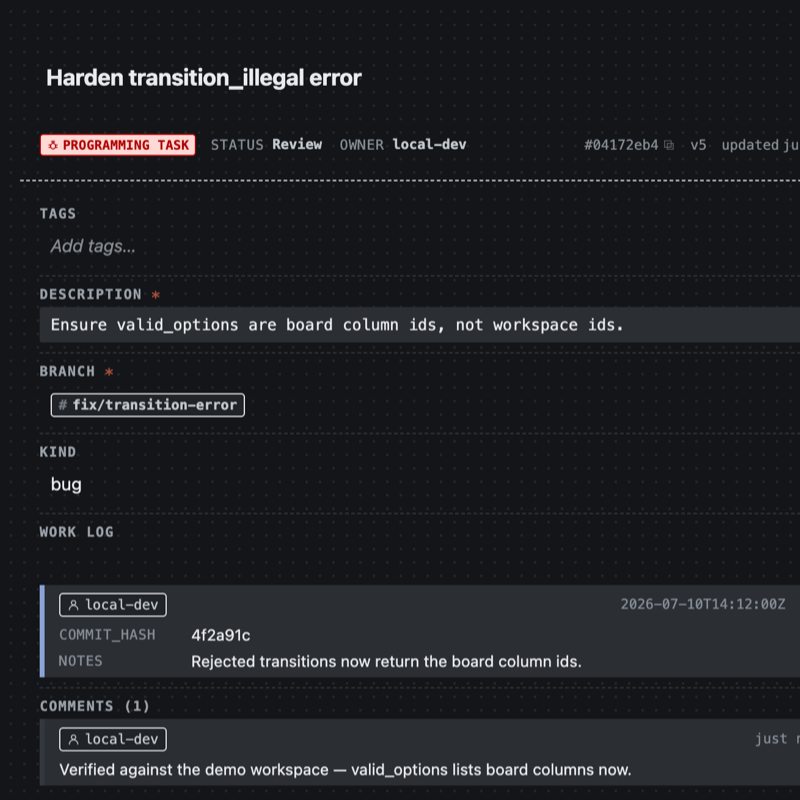
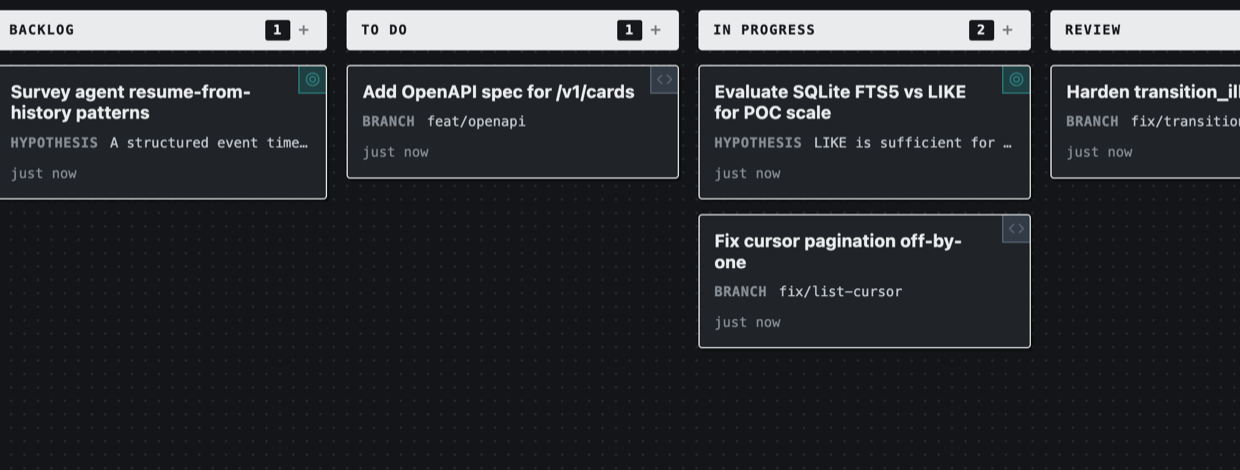
A card type defines the fields; the detail page renders from it. A board definition picks columns, card types, and transition rules; the lanes render from that. There is no separate UI configuration.
{
  "id": "programming-task",
  "name": "Programming Task",
  "fields": [
    { "id": "description", "type": "text",
      "required": true },
    { "id": "branch", "type": "string",
      "required": true, "display": "badge" },
    { "id": "kind", "type": "enum",
      "options": ["feature", "bug", "design", "infra"] },
    { "id": "work_log", "type": "repeating",
      "display": "feed",
      "item_fields": [
        { "id": "commit_hash", "type": "string",
          "required": true },
        { "id": "notes", "type": "text" },
        { "id": "author", "type": "user",
          "required": true }
      ] }
  ],
  "allowed_columns": ["backlog", "todo",
    "in_progress", "review", "done"]
}
{
  "id": "engineering",
  "columns": ["backlog", "todo",
    "in_progress", "review", "done"],
  "card_type_ids": ["programming-task",
    "research-goal", "api-task"],
  "settings": { "enforce_transitions": true },
  "wip_limits": { "in_progress": 3 },
  "transitions": {
    "backlog": ["todo"],
    "todo": ["in_progress"],
    "in_progress": ["review"],
    "review": ["done", "in_progress"]
  }
}
-
Local-first
Runs on your machine. Definitions and a SQLite database live in the project folder — no account and no hosted service.
-
Schemas drive everything
A workspace is a folder of JSON definitions: card types, boards, columns, and tags. One card-type file is the web form, API contract, CLI surface, and generated MCP tools.
-
Git-portable
cards exportwrites cards, comments, and links to abacklog.jsonlyou commit next to the definitions. A collaborator pulls, imports, and continues. -
Extensible
The core stays small: cards, columns, events. Themes, transitions, WIP limits, new card types, hooks, and extensions are optional.
Your work stays in your repo
If you are coordinating people and agents on a project, the useful property is that the cards live with the code.
definitions/ is plain JSON under version control. Live state is one SQLite
file, and cards export --state-only snapshots it — every card, comment, and
link — into a backlog.jsonl that diffs cleanly in review. This repo does
exactly that: the bundled demo workspace is the project's real backlog.
Many agent setups keep work in a private list, a vendor issue tracker, or a markdown plan the agent rewrites each pass. Those can work inside one ecosystem, but the board is then tied to that tool's format.
Cards keeps the same board behind an HTTP API and an MCP server over files in
your repo. Any client that speaks either one can read and write it — including
two harnesses side by side, or a grep of your own backlog.
→ The workflow — a working session end to end, and what the committed snapshot buys you
A board beats a markdown plan
Multi-agent work often ends up in a plan.md that gets rewritten until the
diff is unreadable, and that falls apart when two agents edit it at once. A
shared board holds the same information with less collision:
- Typed fields hold the state. A bad write is rejected with the field, the value, and what was allowed.
- Comments hold the conversation. You can read back why a card moved, not just that it did.
- Work logs and attachments hold the evidence. A
repeatingfield collects commit hashes, notes, and authors as a feed;artifactfields hold the files. - Every change is a versioned event. Two agents writing the same card is a
version_conflict, not a silent overwrite, andtake_nextassigns each worker its own card atomically.
From a card type, the MCP server generates typed tools; validation errors carry the allowed values so agents correct themselves:
Claude Code, pi, or a plain shell script — anything that speaks MCP or HTTP — can claim a card, work it, log what it did, and move on.
→ Connect an agent · Agent instructions
CLI and terminal UI
Every mutating operation works from the CLI — serverless against the workspace
folder, or pointed at a running server with CARDS_URL. Output is JSON (-q
prints just the id), so it pipes.
$ cards create --type task --title "Draft changelog" --status todo -q
card_5f03f5f9
$ cards take-next --board engineering --type programming-task -q
card_7e090c38
$ cards patch card_7e090c38 --status review --version 2 -q
card_7e090c38
$ cards comment add card_7e090c38 --body "fix pushed, PR #212" -q
card_7e090c38
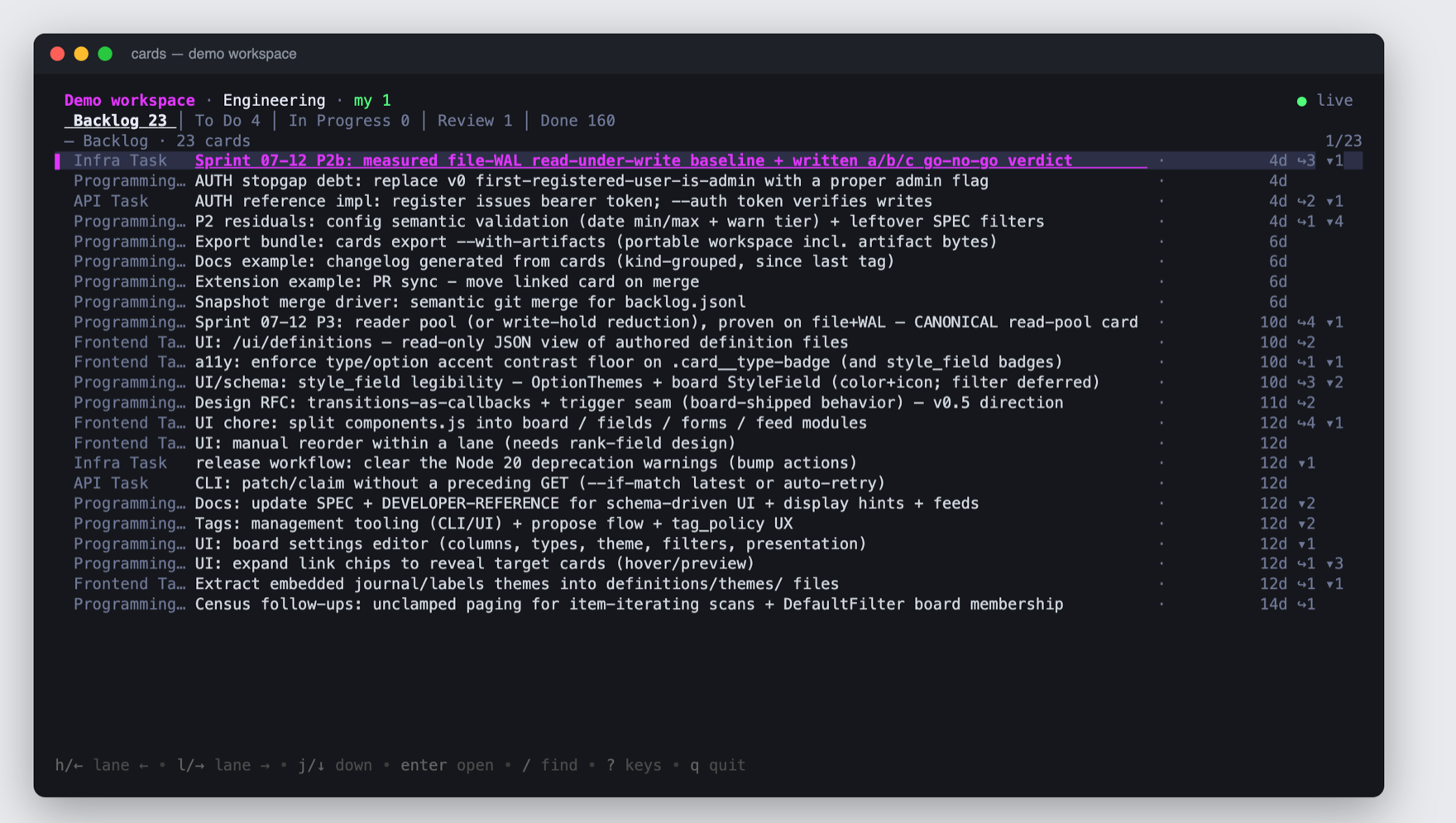
A bare cards on an interactive terminal opens the TUI against the same
workspace — no server required. Lane tabs, card list, and a markdown detail
pane share the service layer with the CLI, and filter/sort use the same query
surface as the web UI (f filter, F sort, T type, / find); q quits.
In scripts and pipes, bare cards still prints usage.
Themes
Themes are one scoped CSS file in the workspace — no build step, no fork. A theme that fails validation is rejected and the UI falls back to the default. The built-in and demo themes:
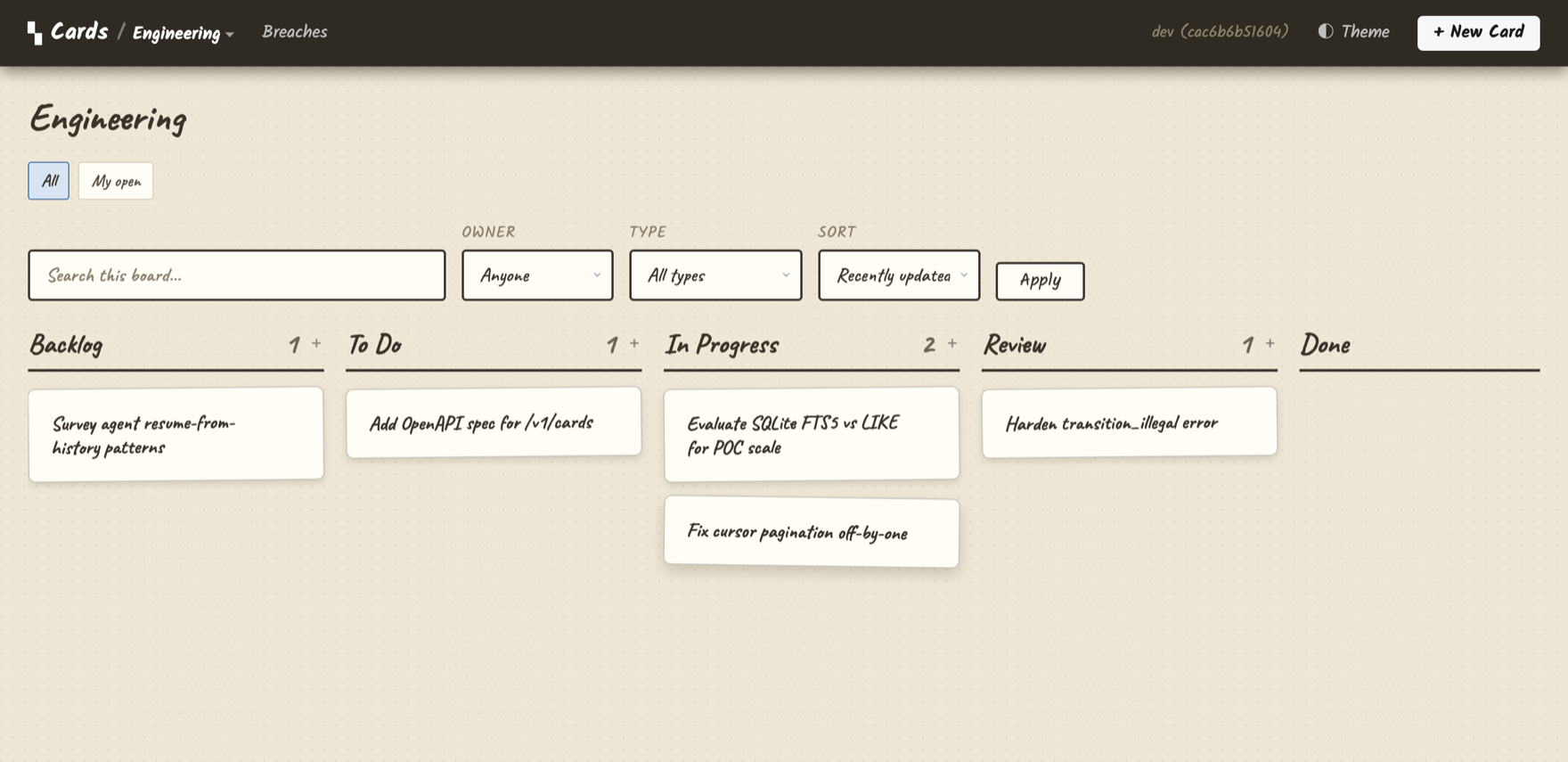
journal — paper background, handwritten type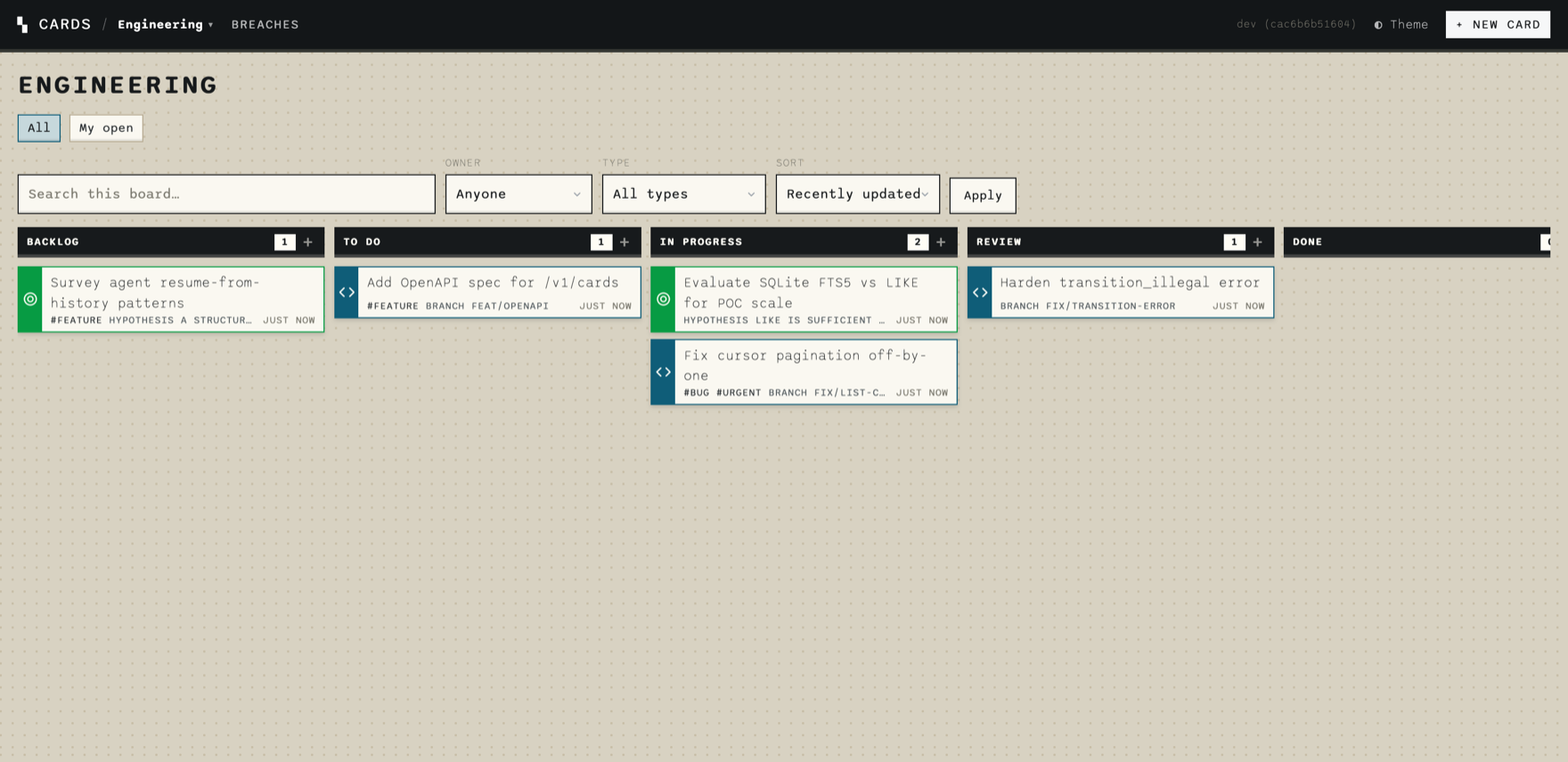
labels — monospace type, colored card accents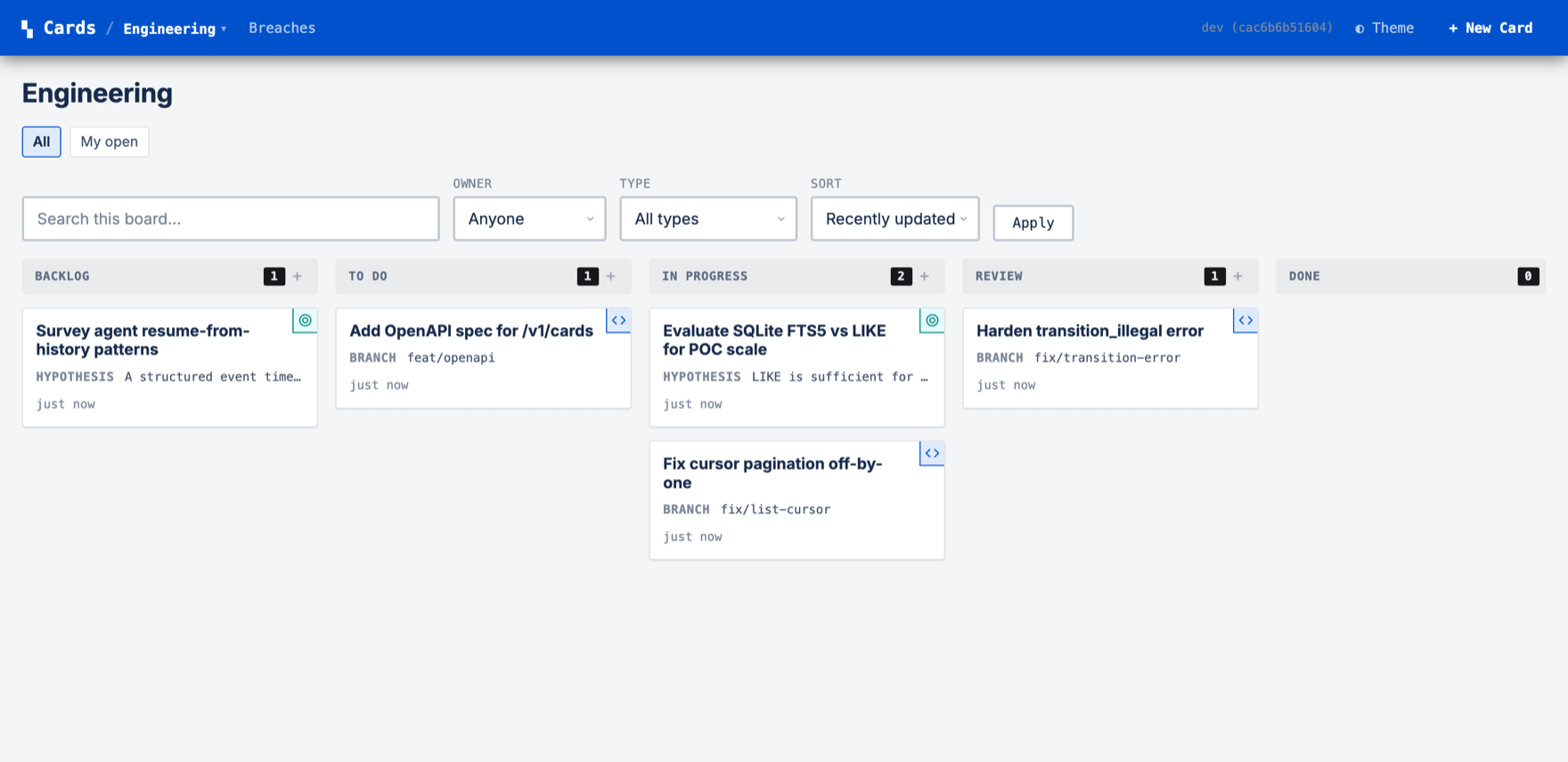
jeeruh — conventional tracker styling in blue→ Themes guide — writing and installing your own
Documentation
-
Get started
Install, create a workspace, serve the board, connect an agent. About two minutes.
-
Define card schemas
Card types, the ten field types, validation rules, and schema versioning.
-
Workspace & boards
Columns, boards as filtered views, transitions, WIP limits, and monitors.
-
Agents & MCP
Run the MCP server, wire it into a harness, and follow the coordination loop.
-
Using Cards
Every operation documented once, with CLI, HTTP, and MCP examples and real responses side by side.
-
Themes
What themes can customize, the validation rules, and how to install and share one.
-
Events & extensions
Hooks, services, and the SSE event stream — automation lives outside the core.
-
Specification
The full contract: API surface, data model, query DSL, and the code-verified audit of what's built.