Get started
Install Cards, create a workspace, and connect an agent — about two minutes end to end. No account, no cloud, no database server.
1. Install
Grab the archive for your platform from the
latest release
(linux / darwin / windows × amd64 / arm64). For macOS on Apple
Silicon:
curl -L -o cards.tar.gz \
  https://github.com/somebox/cards/releases/latest/download/cards_darwin_arm64.tar.gz
tar -xzf cards.tar.gz && cd cards_darwin_arm64
./cards version
macOS Gatekeeper
The first run of an unsigned download is quarantined. Clear it with
xattr -d com.apple.quarantine ./cards (or right-click → Open). Then
move it onto your PATH: sudo mv cards /usr/local/bin/.
2. Create a workspace and serve it
cards init          # scaffold ./.cards + install the agent skill
cards serve         # serve at http://127.0.0.1:8787
open http://127.0.0.1:8787/ui/boards/welcome
That's the whole system: one .cards/ folder holding your definitions and a
work-cards.db SQLite file, with a web UI, a /v1 REST API, and an MCP
interface over it. A bare cards on a terminal opens the TUI against the same
workspace (no server required). cards serve with no --workspace walks up
for a .cards/ directory the way git finds .git/, falling back to ~/.cards.
init also installs the Cards agent skill at .claude/skills/cards/, beside
your .cards/ folder — the skill format Claude Code and compatible harnesses
discover. Pass --no-skill to skip it; an existing skill directory is never
overwritten. To pick up a newer playbook, review any local edits, delete
.claude/skills/cards, and re-run cards init. Harnesses that don't read
.claude/skills/ get their guidance over MCP instead, which is harness-neutral — see
agent instructions.
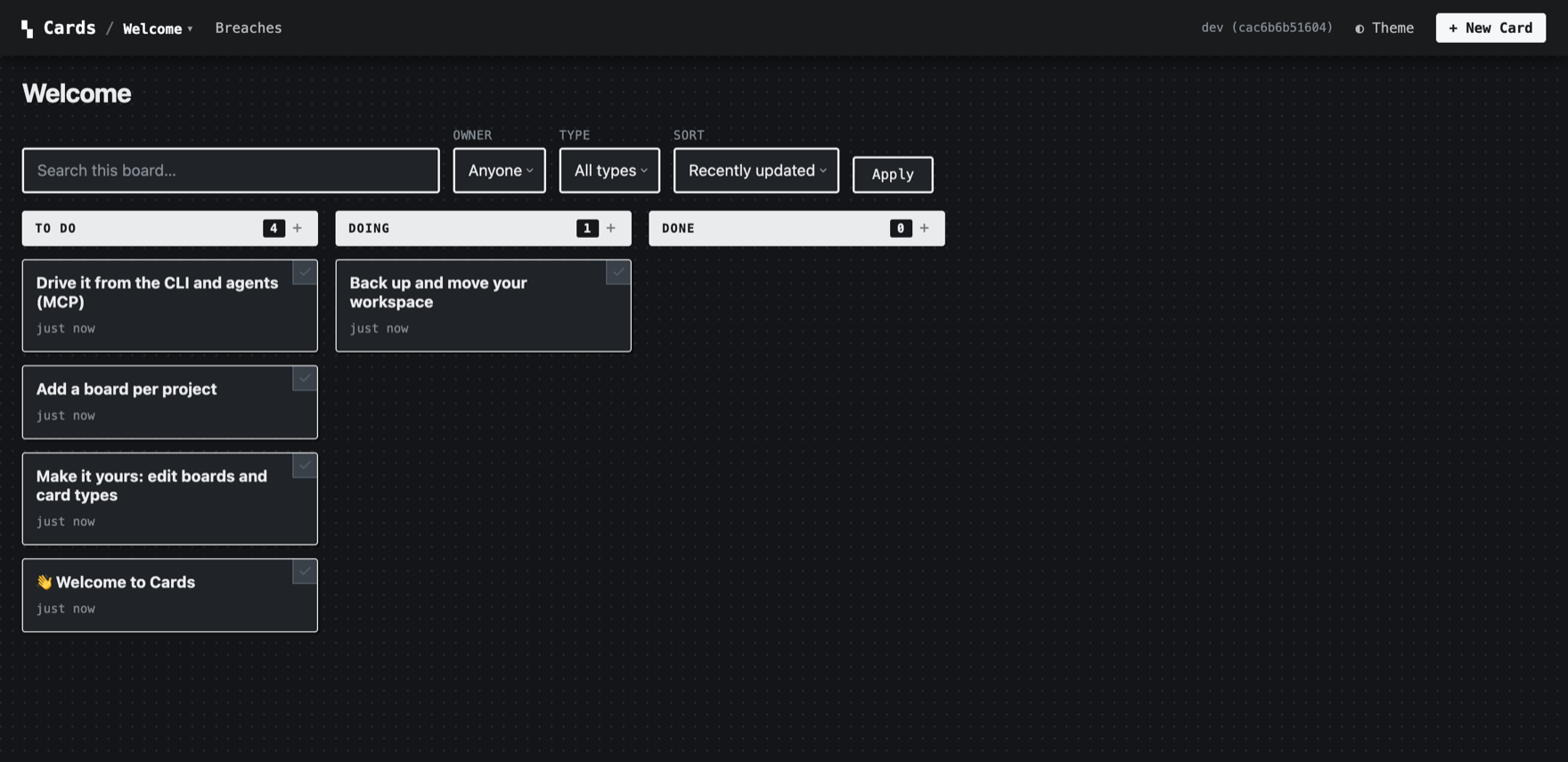
cards init — the starter cards walk you through the basics.3. Use the board
On the welcome board, click a card to edit its fields inline, drag it between columns, or attach a file. Every change is a typed, validated event on the same service layer the API and agents use.
Drive the same board from the command line — point the CLI at the running server so its live UI stays in sync:
export CARDS_URL=http://127.0.0.1:8787   # target the server (omit to run serverless)
export CARDS_USER=me                     # actor for writes

cards create --type task --title "My first task" --status todo
cards list                               # the board as JSON lines
cards patch <id> --status in_progress --version 1
cards comment add <id> --body "on it"
→ Full command reference: CLI.
4. Point an agent at it
The same workspace speaks MCP over stdio, so an agent harness can claim cards, patch typed fields, and resume from history:
→ Wiring it into Claude Code / pi / Cursor and the coordination loop: MCP quickstart.
5. (Optional) Run the project's own board
Cards is developed on its own board. The bundled demo workspace is the real
engineering backlog, shipped as a portable backlog.jsonl snapshot:
cards serve --workspace ./examples/demo-workspace --port 8787 --seed
open http://127.0.0.1:8787/ui/boards/engineering
Because the snapshot is committed, cloning the repo clones the board. See Concepts for the model and card definitions for defining your own types.
Beta
Cards is v0.1.x. The core service, HTTP API, CLI, MCP server, web UI, TUI,
and hook system are implemented; treat the API as project-local unless a
release says otherwise. For a code-verified map of what's built vs.
proposed, see the
built-vs-proposed audit.